<link rel="stylesheet" href="styles-55BDGNYU.css">

Work schedules linked to the calendar and availability

Working hours should not live in a separate spreadsheet. Rewi shows the schedule of the salon and the whole team for specific dates. The same data limits the available slots in the calendar and in online booking.

14 days free. No credit card. We will transfer your data from Booksy, Versum or another system for free.
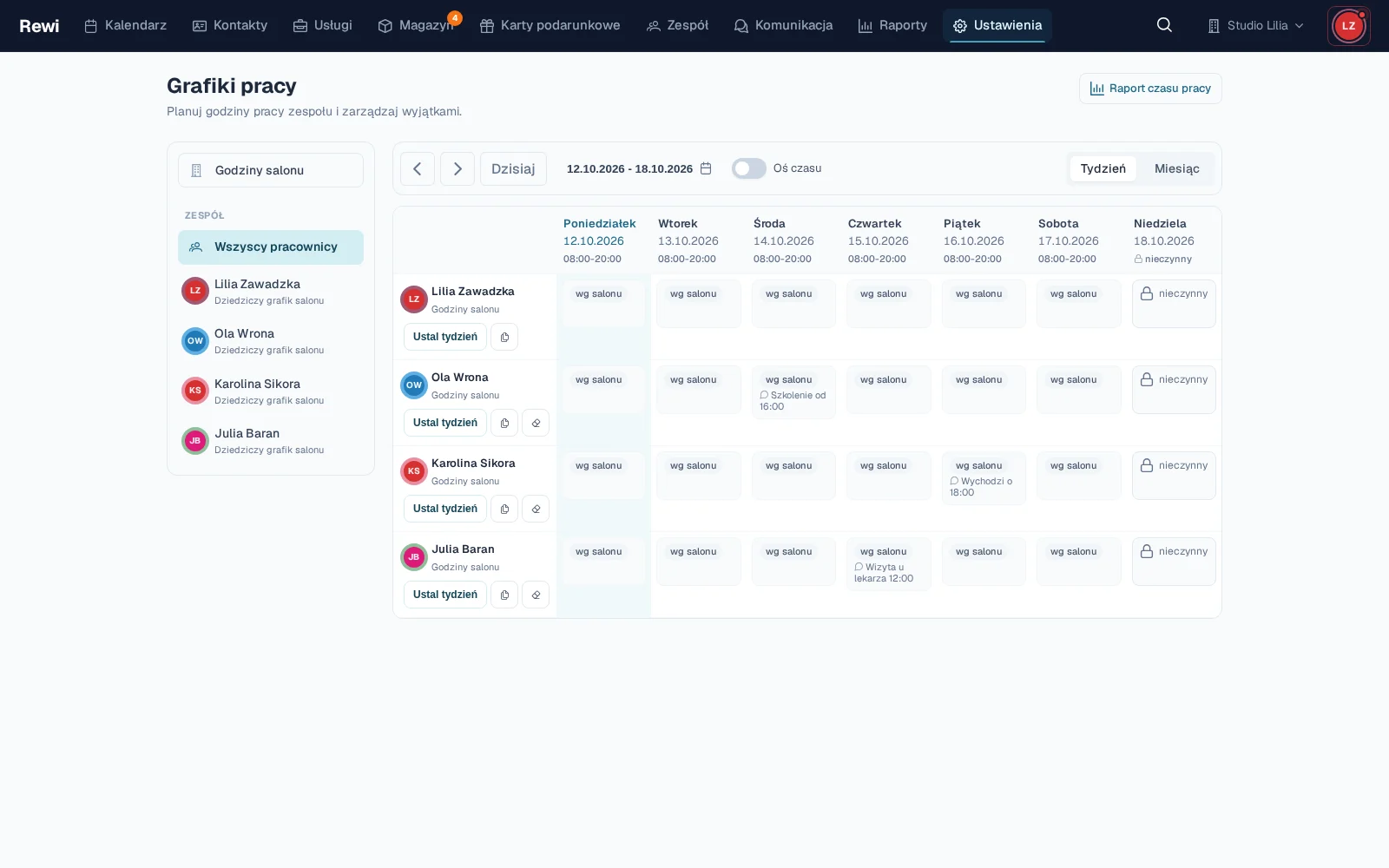
A Studio Lilia weekly schedule with staff hours, an absence and a team staffing timeline

Set salon and staff hours

First you set the salon’s opening hours. A staff member can inherit this schedule or have their own weekly pattern. One day can contain several ranges, for example work in the morning and afternoon with a break between shifts.

The week view shows all people side by side. The month view makes it easier to check a longer period for one person. This way the owner does not piece staffing together from separate profiles.

Plan changes from a given date

A new schedule can be planned in advance. Earlier days keep the hours that applied then. This matters for working time reports and for checking historical staffing.

A week can be copied to following periods. Rewi keeps existing exceptions on the target dates, so a vacation entered earlier does not disappear when the schedule is copied.

Handle exceptions without changing the whole pattern

A single day can be shortened, extended or marked as a day off. An exception can be one-time or recurring. A note explains an unusual shift without rebuilding the standard week.

Absences such as vacation or a personal errand are layered over the schedule. A full-day absence removes the person from that day’s staffing, and an hourly one shortens the actual available time.

Check staffing on the timeline

The timeline mode draws the salon and staff hours on a shared scale. The staffing row shows how many people work at the same time in successive parts of the day. It is easier to spot the moment when the front desk is left alone or several people finish their shift together.

The calendar uses this data. In the Reception view, shift hours appear under the name, and time outside the schedule is grayed out. A client booking online sees slots that match the staff member’s real availability.

Connect the plan with the working time report

The working time report shows hours derived from the schedule and attendance after subtracting absences. You can open it from the schedule period you are viewing and the selected staff member.

The summary can be printed as a record with space for signatures. Rewi bases the calculation on planned hours and reported absences. It does not automatically register a staff member’s arrival or departure.

Start with the coming week

Set the salon hours, assign a custom schedule only to those who really work differently, then add the known absences. Check the timeline and online booking before copying the pattern to later weeks.

Try Rewi for 14 days. The trial is free and requires no credit card.

Frequently asked questions

Can't find your question? Write to [email protected].

Can a staff member have several shifts in one day?

Yes. A day can contain several non-overlapping ranges of hours.

Can I change just one day?

Yes. An exception lets you set different hours or a day off without changing the weekly pattern.

Does the schedule affect online booking?

Yes. Working hours and absences limit the slots Rewi shows to clients.

Can I copy a finished week?

Yes. A weekly schedule can be copied to following periods without deleting existing exceptions.

Does Rewi measure actual arrivals and departures?

No. The report relies on the schedule and recorded absences. It is not an automatic arrival and departure tracker.

Test Rewi
free for 14 days.

See how Rewi works in the everyday running of a salon. No credit card, and setup takes a few minutes.

We will move your data from your previous system for you, free of charge.