<link rel="stylesheet" href="styles-55BDGNYU.css">

Salon inventory connected to sales and appointments

Rewi organizes products used during treatments and sold to clients. In one place you see the current branch's stock, deliveries, usage and sales history. You don't need to copy the same numbers into a separate spreadsheet after closing the day.

14 days free. No credit card. We will transfer your data from Booksy, Versum or another system for free.
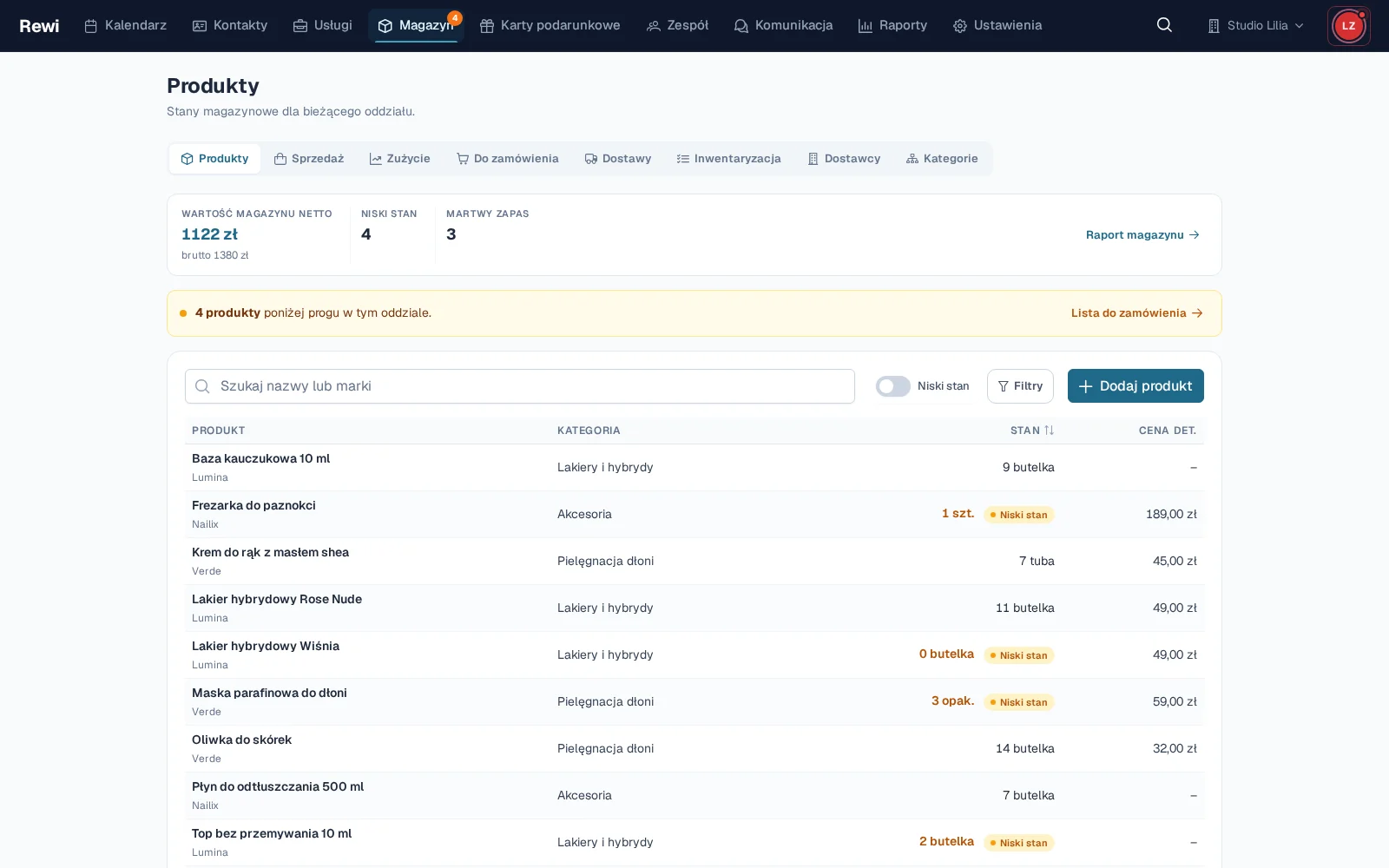
Rewi inventory for Studio Lilia with a product list, variant stock levels and low-stock markers

See what is starting to run out

The product list shows stock in the selected branch. For each variant you can set a low-stock threshold. Rewi marks items that reached this level, and the "To order" view gathers them in one list.

A product can have several variants, its own SKU and EAN, a sale price and a unit. This lets you track different sizes or colors of the same cosmetic separately. The movement history explains where the current quantity came from.

Receive deliveries without manually correcting stock

A delivery links the supplier with specific items and purchase prices. Once received, the quantities go into the stock of the relevant branch. The team doesn't need to add each unit through a separate correction.

The delivery list makes it easy to go back to earlier receipts. Permissions let you separate ordinary stock viewing from access to purchase costs and margin.

Sell products together with a service or separately

Cosmetics can be added while billing the appointment. Rewi records the quantity, price and the person responsible for the sale, and the product stock decreases accordingly. The client can pay for the service and home care in one bill.

A sale not tied to a visit has its own simple screen. You choose products, quantities, the seller and, optionally, the client. The sales history lets you find the transaction later and review its items.

Link material usage to services

In a service recipe you can specify the materials and the typical quantity used during delivery. After billing, Rewi records the usage according to the configuration. This gives a fuller picture of stock than retail sales alone.

The inventory report shows stock value, material usage and service margin after product costs. This helps tell a popular service from one that actually earns well.

Verify stock with a stocktake

A stocktake lets you compare the quantity counted on the shelf with the quantity in the system. Differences can be reviewed before approval. When the stocktake is finished, Rewi records the corrections and keeps their history.

It is best to start with the fastest-moving products. Set thresholds for key materials, add the current delivery and make a first sale. Then you can expand the catalog without stopping the salon's work.

Try Rewi for 14 days. The trial is free and requires no credit card.

Frequently asked questions

Can't find your question? Write to [email protected].

Does Rewi track stock separately for each branch?

Yes. The product list and quantities apply to the selected branch. This lets you control stock where the goods actually are.

Can a product have several variants?

Yes. Variants can have their own SKU and EAN codes, prices, units and low-stock thresholds.

Does selling a product reduce stock?

Yes. A product sold during a visit or on the separate sales screen changes the stock of the relevant variant.

Does Rewi help prepare an order?

Yes. The "To order" view gathers active items that have reached the set low-stock threshold.

Can I do a stocktake?

Yes. Rewi lets you create a count sheet, enter the counted quantities and approve the differences.

Test Rewi
free for 14 days.

See how Rewi works in the everyday running of a salon. No credit card, and setup takes a few minutes.

We will move your data from your previous system for you, free of charge.