<link rel="stylesheet" href="styles-55BDGNYU.css">

Appointment checkout and payments in one place

After an appointment ends, Rewi gathers the performed services, products, discounts and payments on one screen. The front desk sees how much is left to pay and can close the checkout without retyping items from the calendar.

14 days free. No credit card. We will transfer your data from Booksy, Versum or another system for free.
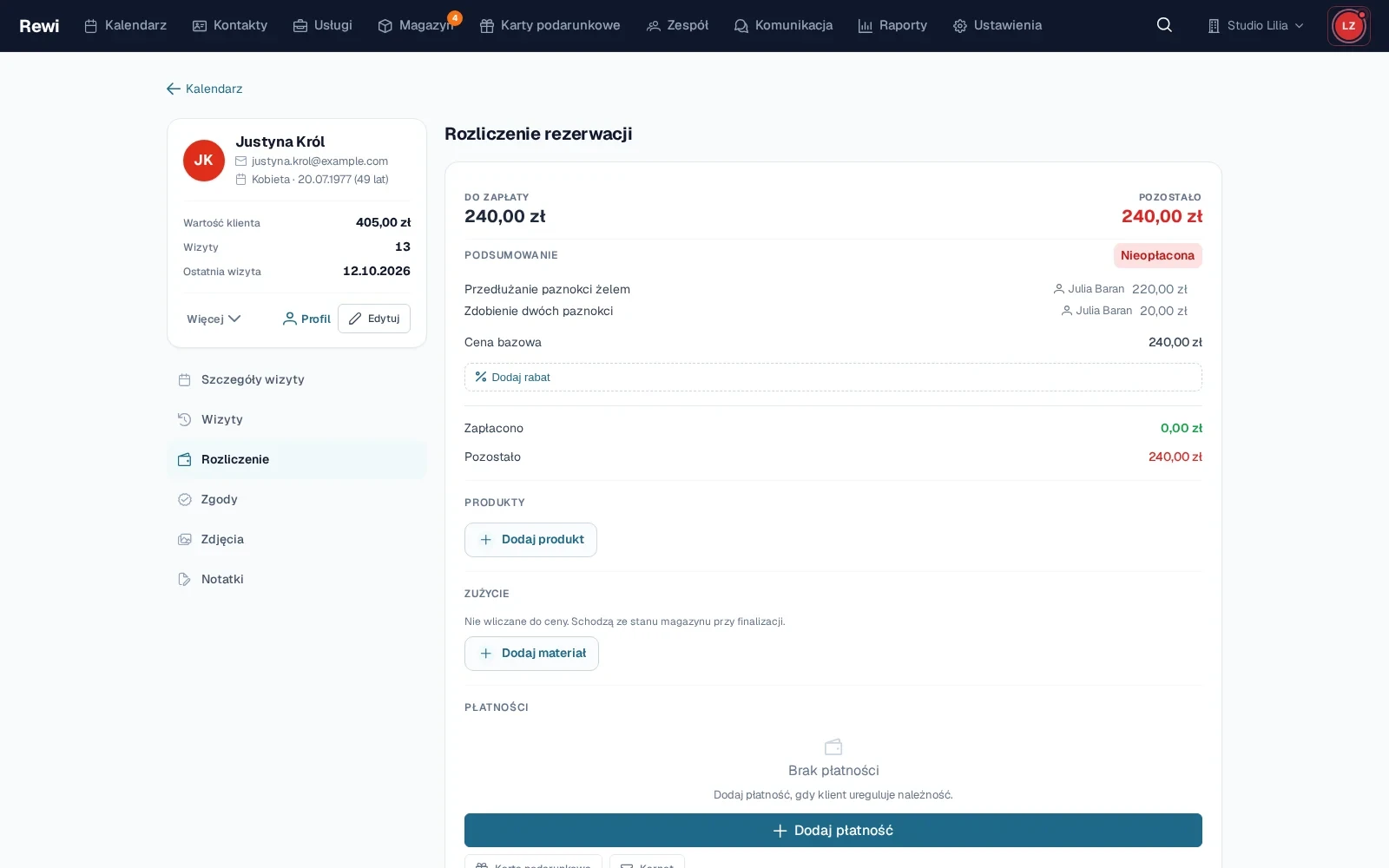
An appointment checkout in Rewi with services, products, a discount and a split payment

Start with the services saved in the appointment

Checkout uses the services, prices and performers assigned to the appointment. With a variable price you can enter the final amount. An appointment handled by several people still has one shared summary for the client.

Rewi shows the base amount, the applied discount and the amount left to pay. A discount can apply to the whole appointment. A default discount saved on the client card is suggested during checkout.

Add products without a separate sale

A cosmetic product sold during the appointment can be added to the same checkout. You choose the variant, quantity and seller. If inventory is enabled, the sale adjusts the product stock accordingly.

The seller stays recorded on the item. This way retail sales appear in team reports and can be counted in the staff member’s compensation model.

Combine several payment methods

The salon defines the payment methods it uses. For one appointment you can record several payments, for example part in cash and part by card. Rewi shows the balance and any overpayment in real time.

If the client has an active gift card, a client balance or a package, you can use them during checkout. The system checks the available funds or matching services and records the usage in the client history.

Finalize only after checking the balance

Rewi warns you when an amount is still due on the checkout. Finalizing closes editing of regular items and marks the appointment as paid up. If needed, an authorized person can undo the finalization.

The simplest start is your own payment methods and checking out a few test appointments.

Try Rewi for 14 days. The trial is free and requires no credit card.

Frequently asked questions

Can't find your question? Write to [email protected].

Can I use several payment methods for one appointment?

Yes. You can add several payments to one checkout, and Rewi shows the remaining amount and any overpayment.

Can I undo the finalization of a checkout?

Yes. An authorized person can undo the finalization if items or payments need to be corrected.

Can I add a product during checkout?

Yes. A product can be part of the appointment checkout. With inventory enabled, its stock will be reduced accordingly.

Does Rewi support discounts?

Yes. A discount can be applied to an appointment, and the client’s default discount is suggested from their card.

Can I use a gift card or a package?

Yes. Active funds and matching visits can be applied directly while checking out the appointment.

Test Rewi
free for 14 days.

See how Rewi works in the everyday running of a salon. No credit card, and setup takes a few minutes.

We will move your data from your previous system for you, free of charge.