<link rel="stylesheet" href="styles-55BDGNYU.css">

Documents and consents signed at the right appointment

Rewi connects document templates with the client record and the appointment. The team sends the right consent for signing and, once done, finds it in the client's profile. No printing another copy and no hunting for a binder at the next visit.

14 days free. No credit card. We will transfer your data from Booksy, Versum or another system for free.
Rewi document editor with a consent preview and signature, date and choice fields

Build a template on your own PDF file

You start by uploading a prepared PDF document. On its pages you place text fields, checkboxes, a date, initials and a signature. Fields can be required so the client doesn't skip an important spot.

The preview shows the document the way the client will see it on a tablet or phone. The salon prepares the content itself and decides what information to collect. Rewi does not replace your judgment about which documents a given type of service requires.

Publish changes as new versions

A published template version stays unchanged. When the content or field layout needs correcting, you create a new version. New signature requests use the current version, while earlier documents keep their original layout.

The version history helps establish which form was in force on the day of signing. Deleting a template does not change documents that clients signed earlier.

Ask for a signature on a tablet

A tablet in the salon can be paired with Rewi as a signing device. The employee opens the client record or appointment, chooses a document and sends it to the right screen. The client fills in the fields and signs with a finger.

This mode suits documents filled in on site before a treatment. Staff see the waiting and completed status without giving the client access to the staff panel.

Send a signing link

A document can also be sent via a link in an SMS message. The client opens the form on their own phone and signs it away from reception. The client record shows that the signature came from a link.

This route works when the salon wants to collect information before the visit. Availability of sending depends on the client's phone number and the salon's communication configuration.

Keep the document with the client and the service

A template can be linked to a service. The document then appears in the appointment section next to other information needed for service. An employee can also add an extra form if a specific situation requires it.

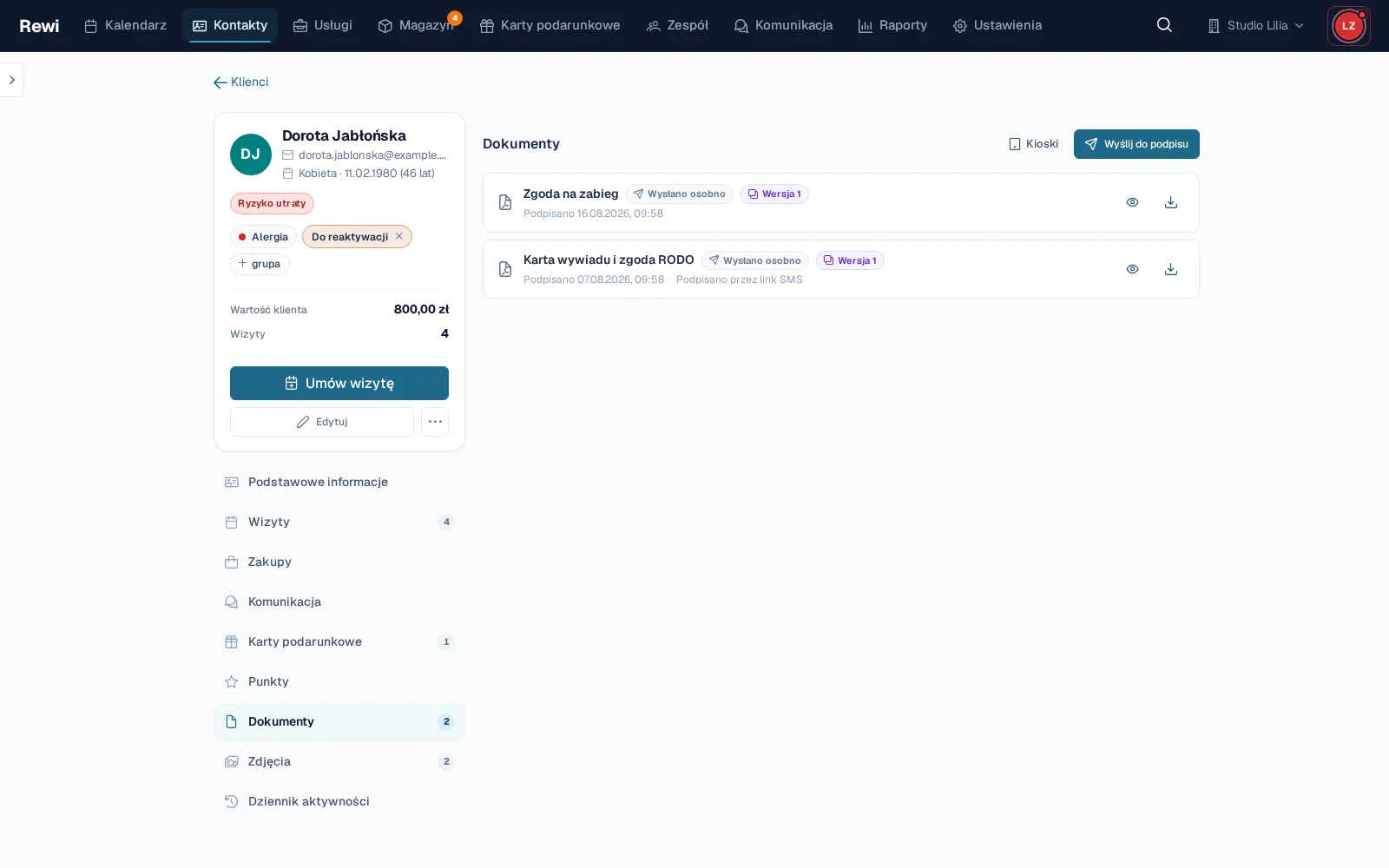
After signing, the document goes to the "Documents" tab in the client record. An authorized person can open the preview and download the PDF. Roles and permissions restrict access to this part of the profile.

Try Rewi for 14 days. The trial is free and requires no credit card.

Frequently asked questions

Can't find your question? Write to [email protected].

Do I have to create the document from scratch in Rewi?

No. You can upload your own PDF file and place fields on it for filling in and signing.

Can the client sign a document on a tablet?

Yes. After the tablet is paired, the employee sends the document to it from the client record or appointment.

Can a signature be collected before the visit?

Yes. You can send a document for signing through a link in an SMS message.

What happens after a template is changed?

Changes are published as a new version. Documents signed earlier stay linked to the version in use at the time of signing.

Where do I find a signed document?

Signed documents appear in the “Documents” tab on the client card. You can view them and download them as PDF.

Test Rewi
free for 14 days.

See how Rewi works in the everyday running of a salon. No credit card, and setup takes a few minutes.

We will move your data from your previous system for you, free of charge.