<link rel="stylesheet" href="styles-55BDGNYU.css">

Salon reports based on everyday work

A report should answer a specific question, not be yet another table to sort out by hand. Rewi uses data from appointments, checkouts, schedules and other modules. The owner can move from the overall result to a chosen area.

14 days free. No credit card. We will transfer your data from Booksy, Versum or another system for free.
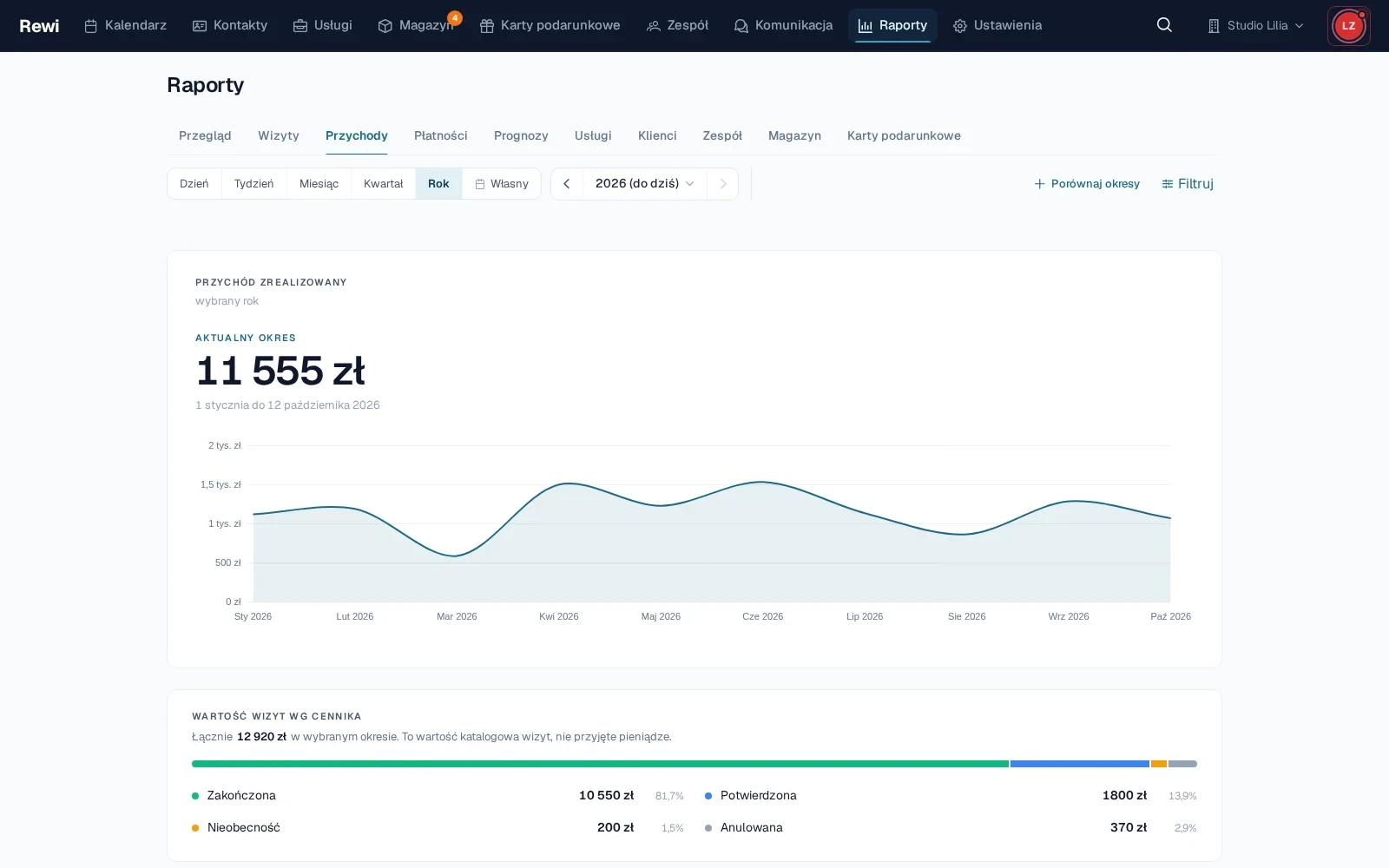
A Studio Lilia reports overview with revenue, number of appointments, average value and period comparison

Start with an overview of the key numbers

The overview shows the main indicators for the selected period. You can check revenue, number of appointments, average value and the change compared with the previous period. Filters narrow the data to a branch, staff member or resource.

Comparing periods helps tell a single good day from a more lasting change. Rewi relies on actually saved appointments and checkouts, so the report grows with everyday use of the system.

Analyze appointments and revenue separately

The appointments report shows completed, canceled and no-show appointments. It lets you see how the number of bookings changes and which statuses need attention. It is a good starting point for evaluating reminders and cancellation rules.

The revenue report focuses on completed sales. Data can be viewed over time and broken down by the available filters. A separate payments section shows how clients settle what they owe.

Review services, clients and the team

The services report compares price list items by number of performances and sales value. The clients report shows, among other things, acquisition, behavior and activity of the base. It helps you see whether growth comes from new people or from returning regular clients.

The team section shows staff results and time usage. The working time report relies on schedules and absences. The scope of visible data depends on permissions, so a staff member does not need access to the whole salon’s numbers.

Use module-specific reports

Once inventory is enabled, a report appears with stock value, consumption and service margin after material costs. Gift cards have a summary of funds still available to use.

These reports do not require re-entering data. They are built from operations recorded during delivery, sale, checkout and voucher redemption. So the quality of the result depends on closing these actions in Rewi regularly.

Also look at upcoming appointments

The forecast draws on future bookings saved in the calendar. It shows the value of planned appointments, but does not pretend the revenue is certain. A cancellation, a service change or a discount can alter the final result.

It is worth comparing the forecast with completion and no-shows. This way the owner sees not only how full the calendar is, but also what share of the plan ends in a completed and paid appointment.

Set a steady review rhythm

A short weekly review is enough to check occupancy, absences and service sales. A monthly comparison helps assess the broader trend and team results. A steady rhythm gives more than occasionally opening every tab.

Try Rewi for 14 days. The trial is free and requires no credit card.

Frequently asked questions

Can't find your question? Write to [email protected].

What areas do Rewi reports cover?

Reports cover, among other things, appointments, revenue, payments, forecasts, services, clients, the team and working time. Additional tabs depend on the enabled modules.

Can I compare periods?

Yes. Reports that share a common date range can show the change compared with the previous period.

Can reports be filtered by staff member?

Yes. Filters by staff member, branch or resource are available in the relevant views.

Is the forecast guaranteed revenue?

No. The forecast is based on future appointments and can change after a cancellation, a price correction or a service change.

Can every staff member see the results of the whole salon?

No. Access to personal reports and organization-wide reports depends on the role and permissions.

Test Rewi
free for 14 days.

See how Rewi works in the everyday running of a salon. No credit card, and setup takes a few minutes.

We will move your data from your previous system for you, free of charge.