<link rel="stylesheet" href="styles-55BDGNYU.css">

Software for nail technicians, from booking to checkout

In nail services, time depends on the service, removal of the previous set and decoration. One booking that is too short pushes back the whole day. Rewi organizes the offer, appointments and client information so the plan does not rest on messages scattered across several channels.

14 days free. No credit card. We will transfer your data from Booksy, Versum or another system for free.
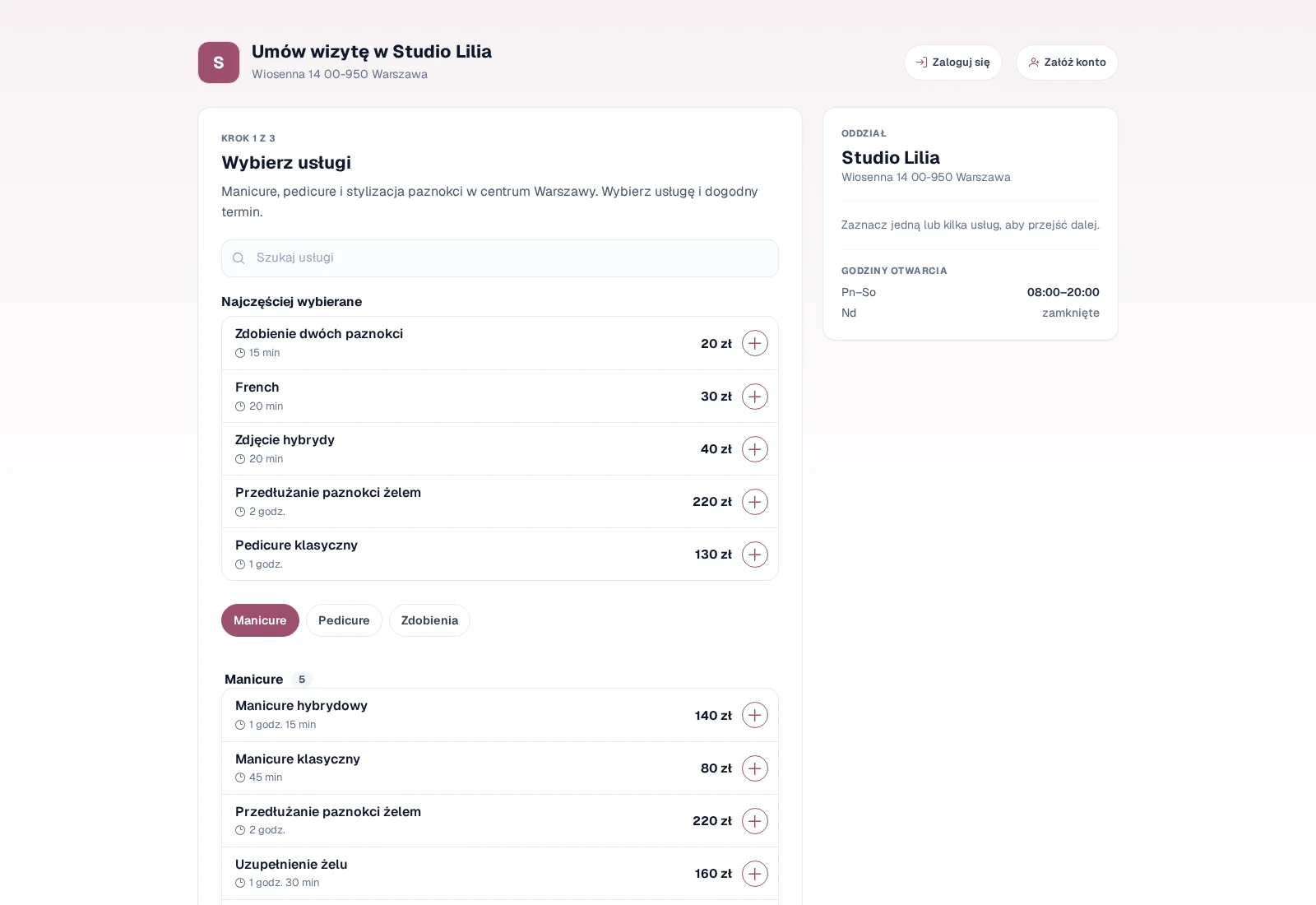
Studio Lilia online booking: a client picks a service and time, as when booking a manicure at a nail salon

A calendar for one person and for a team

A one-person studio can use a simple day or week view. A salon with a team will see technicians side by side in the Reception view. Each appointment shows the time, client, service and status.

An appointment can be dragged when a client asks for a change. The length of the visit can be adjusted to the real work. Rewi keeps the client and service information, so you do not need to retype the booking.

Working hours and absences limit availability. If the salon uses shared workstations or devices, you can add them as resources and track conflicts.

A price list that tells the real scope of work apart

In the offer you can separate manicure, refill, extensions, removal and other services. Each item has its own duration and price. Categories keep a longer price list in order.

Online booking shows only the specified services. The studio can open standard variants and agree on unusual decoration after contact. The service description should state clearly what the booked time includes.

Rewi supports fixed and variable prices. At checkout you can correct the amount if the scope of work turned out different. Reports use the value actually paid.

Your own booking link instead of arranging times in messages

The client opens the studio page and picks a service, technician and free slot. The booking lands in the calendar without waiting for a reply. The salon can require manual approval if it wants to check the details first.

You can place the link in a social media profile, a Google business listing or on a website. Rewi is not a directory of many salons. The client goes straight to the specific studio.

After booking, the “My appointments” portal lets the client see the upcoming appointment and take the available actions. Login works by e-mail without a permanent password.

Photos and history of nail work in the client card

The client card combines contact details with visit history. Photos can be stored as before and after material. This helps you return to an earlier shape, color or result without scrolling through your phone's private gallery.

Notes and labels organize important context. Access to the card depends on the staff member's role. Photos and documents are not public.

The salon sets its own rules for storing photos and consents. Rewi provides the tool but does not settle legal obligations. These matters need a separate assessment.

Reminders and a calmer day

An automatic SMS can remind clients about their appointment. Rescheduling a visit can trigger a separate message with the new date. Reception doesn't have to send similar messages by hand in the evening.

The template uses data from the calendar. This reduces typos in the time or name. The client's reply can go to a shared thread in Rewi.

After the visit, the system lets you bill the service and products. Materials can be tracked in inventory. In a larger salon, reports help compare occupancy, revenue and team performance.

Set up your first week without building everything at once

At first, your most common price list, working hours and a few real appointments are enough. Check that service durations match reality. Then publish the link for a small group of regular clients.

Once bookings work, you can add reminders. This phased start reduces the risk that one wrong service duration opens windows that are too short for the whole week.

Try Rewi for 14 days. The trial is free and requires no credit card.

Frequently asked questions

Can't find your question? Write to [email protected].

Does Rewi work for a stylist working solo?

Yes. The base price includes one user. You can add more people as the studio grows.

Can the client choose a stylist?

Yes. The booking page lets clients choose a service, a staff member and an available time.

Can I store before and after photos of a styling?

Yes. You add photos to the client's card and come back to them at the next visit.

Can I add styling photos to a client?

Yes. Before and after photos can be stored on the client card, with access for authorized people.

Does Rewi support shared workstations?

Yes. A workstation or device can be a resource. The system checks whether it has already been booked.

Test Rewi
free for 14 days.

See how Rewi works in the everyday running of a salon. No credit card, and setup takes a few minutes.

We will move your data from your previous system for you, free of charge.