<link rel="stylesheet" href="styles-55BDGNYU.css">

Commissions and compensation calculated from the salon’s work

Rewi connects the staff compensation model with completed sales, the schedule and absences. The owner sees the calculation base, commission and manual adjustments in one report, without assembling a payout from several spreadsheets.

Commission and compensation features are being enabled for salons in stages. Write to us to check availability on your account.

14 days free. No credit card. We will transfer your data from Booksy, Versum or another system for free.
A staff compensation model in Rewi with an hourly rate, commission and a month preview

Set the base to match the contract

For a staff member you can choose no base, a fixed monthly amount or an hourly rate. With an hourly rate Rewi uses the schedule reduced by recorded absences. The preview shows the number of hours and the result for the selected month.

The system does not automatically register arrivals and departures. If the actual time differed from the schedule, you need to record an absence or account for the change manually.

Calculate commission on performed items

Commission per item can be a percentage or a fixed amount per service. You set the staff member’s default rate, then exceptions for particular services or whole categories. Rewi picks the most specific matching rule.

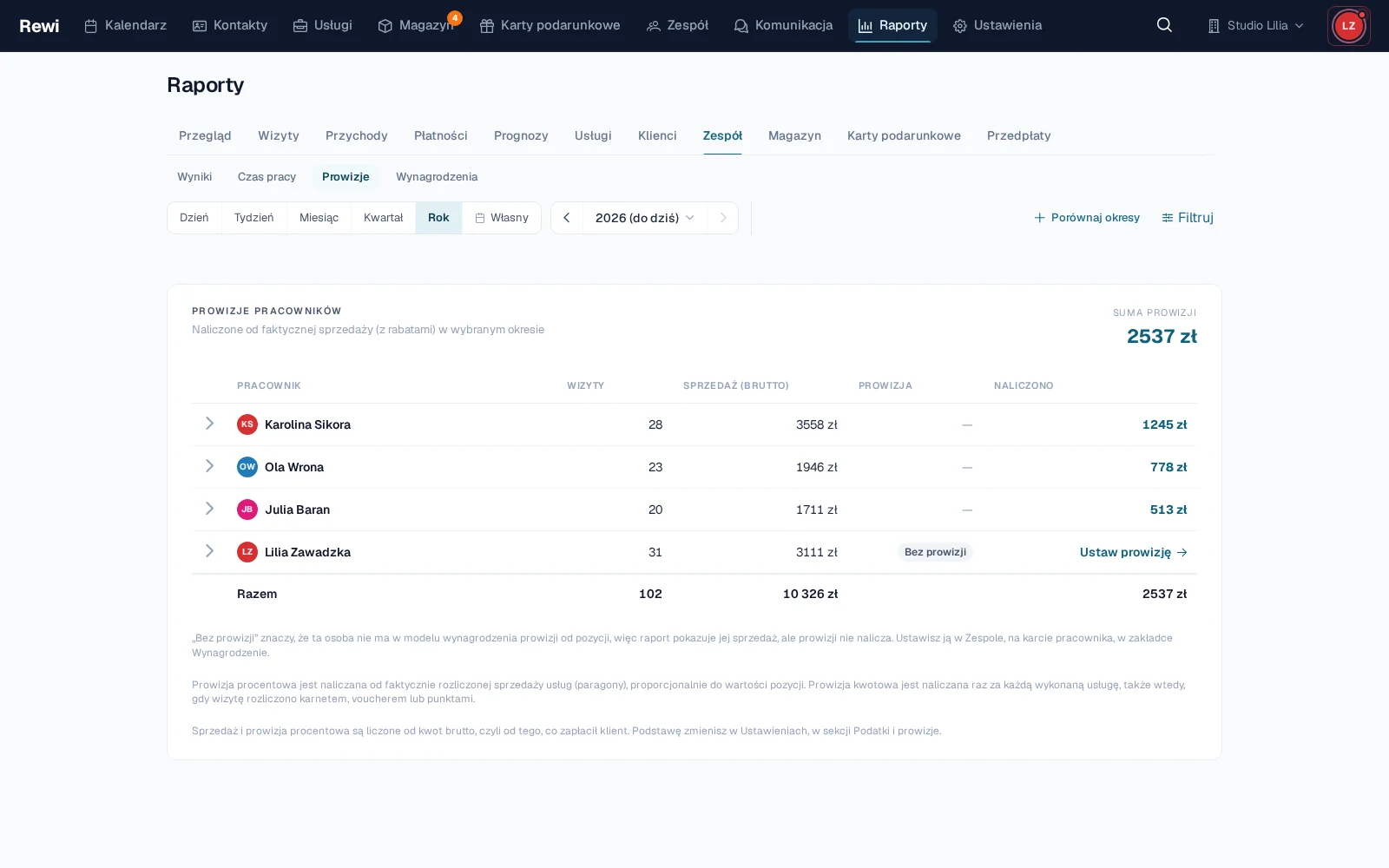
The percentage is calculated from the actually settled value after the discount. A fixed amount works as a set bonus for a performed service. An appointment completed without checkout does not accrue commission.

Include product sales

A separate rate can apply to a staff member’s retail sales. It covers products added to an appointment and sales recorded outside an appointment. The seller chosen on the item decides who gets the turnover and commission.

The report shows product sales as a separate part of the calculation. This lets you see how much of the result comes from services and how much from recommended home care.

Calculate commission on monthly turnover

Instead of per-item rates you can choose commission on the turnover of the whole month. A threshold table sets the rate from a given amount. You can either calculate the whole turnover at the reached threshold or calculate each threshold band separately.

You can include selected sources in the base, among them services, products, packages and vouchers. The preview calculates the proposed model on real data from the selected month before you save the settings.

Add bonuses and deductions

The compensation report shows the base, commission, adjustments and total for each person. In the expanded row you can add a bonus or a deduction with a description. An adjustment belongs to a specific month and stays visible in the result breakdown.

The report works for a month, a quarter and a year. Longer periods are the sum of months, so the fixed base and thresholds keep their monthly meaning. Everything can be exported to an XLSX file with a separate breakdown of components.

Protect access to rates

The compensation permission is separate from viewing regular team data. A separate permission controls managing commission rates. So the salon can share the schedule or a staff member’s profile without showing amounts.

It is worth testing the model on a previous, closed month. The preview shows the effect of rates, categories and thresholds on real sales. A configuration change can recalculate the whole month being viewed, not only the days since it was saved.

Try Rewi for 14 days. The trial is free and requires no credit card.

Frequently asked questions

Can't find your question? Write to [email protected].

What kinds of commission does Rewi support?

Commission can be a percentage or a fixed amount per item. You can also choose commission on monthly turnover by thresholds.

Does a discount affect percentage commission?

Yes. Percentage commission on a service is calculated from the actually settled value after the discount.

Can commission be calculated on products?

Yes. A separate rate can cover retail sales assigned to a staff member.

Can compensation have an hourly rate?

Yes. Rewi then calculates the base from the work schedule reduced by recorded absences.

Can the report be exported?

Yes. The compensation report can be downloaded as XLSX for a month, a quarter or a year. The module is being rolled out in stages.

Test Rewi
free for 14 days.

See how Rewi works in the everyday running of a salon. No credit card, and setup takes a few minutes.

We will move your data from your previous system for you, free of charge.